

ToolsHow it worksOur storyFAQ Design your roster free
FREE Design your chapter's roster in minutes →

Software for networking chapter leadership teams

Chapter admin, handled before the meeting starts.

Software for chapter leadership teams. Visitors check in on a tablet and get marked attended in your member portal. The agenda and roster build themselves before every meeting, and the referral drawing is ready for the projector.

Runs a real chapter every week Nothing to install Any meeting day
sample-visitors.bniadmin.net
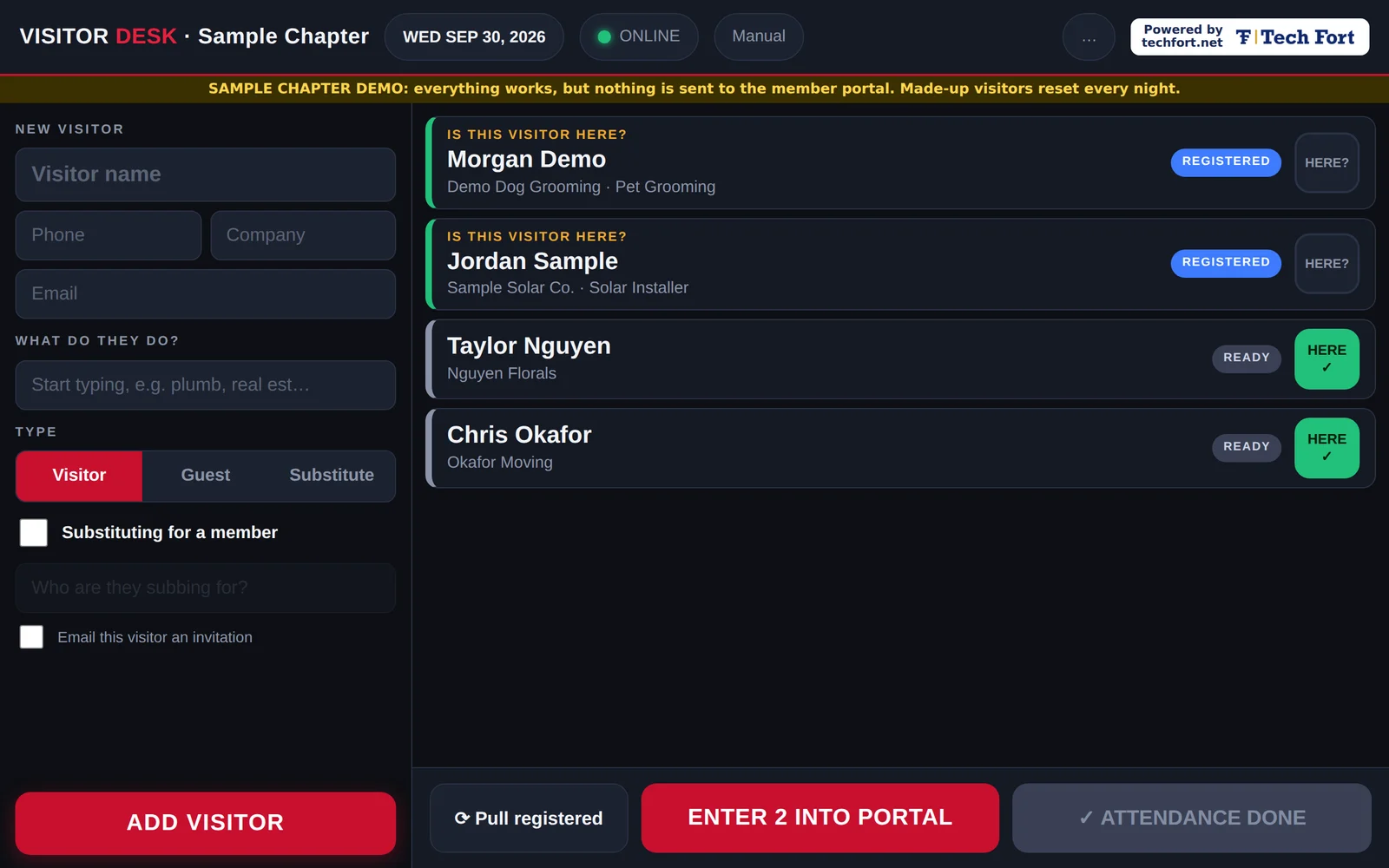
Visitor Desk: visitors checked in on a tablet, pre-registered visitors waiting to be marked here, and one button that enters them into the member portal
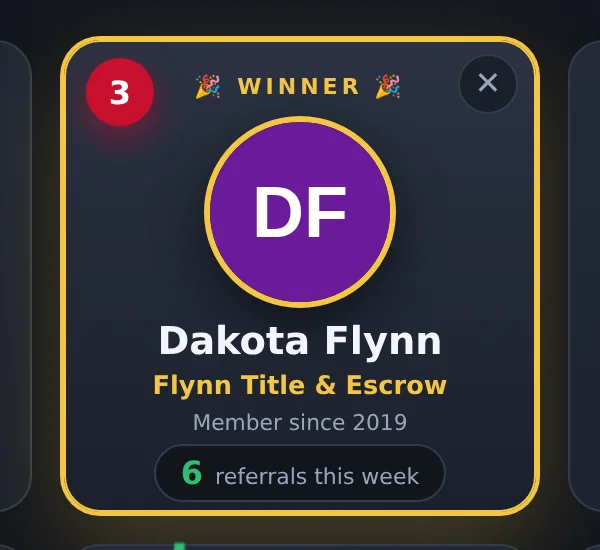
Referral drawing winner revealed on the projector
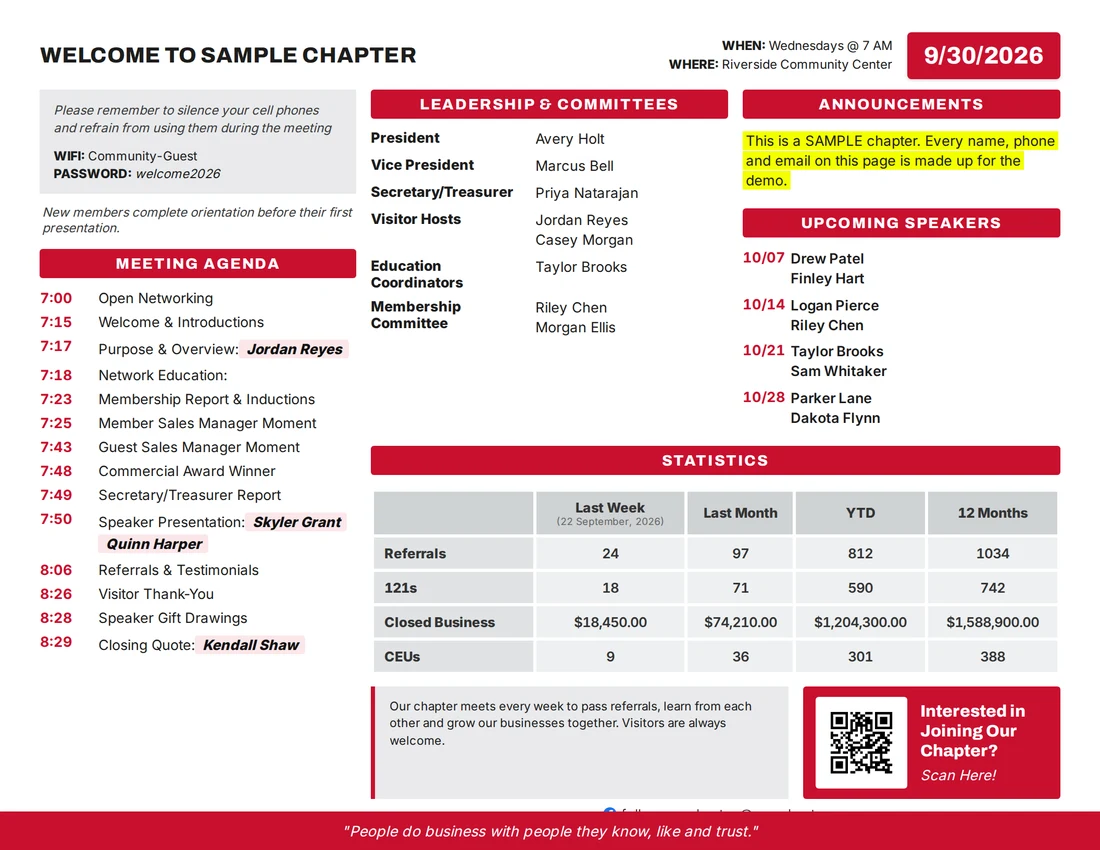
Weekly meeting agenda and chapter roster PDF that builds itself
Built by a chapter officerMade for a real chapter's leadership team, not dreamed up in a boardroom.
Keeps working offlineWifi drops mid-meeting? Check-ins save on the tablet and sync later.
Any tablet or laptopiPad, Chromebook, Android or a laptop. It's a web app.
Pick only what you needOne tool or all of them. Pay per tool, per chapter.
Sound familiar?

Admin work eats the night before every meeting.

Every chapter's leadership team does the same chores every week, and most of it is retyping.

The roster is one change behind

Someone rebuilds the agenda and roster by hand, and it goes out with last week's speaker or a missing new member.

Visitor counts come out low

Visitors sign a paper sheet, nobody marks them attended in the member portal, and the chapter's visitor numbers never match the room.

The drawing is a morning-of rush

Pulling referral counts before the door-prize drawing means logging in and adding numbers while people are arriving.

For every seat

Built for the whole leadership team.

Each officer gets back the part of the week that used to be busywork.

President

The meeting agenda is printed and right before you stand up, with speakers, overview and closing quote filled in.

Vice President

Referral counts for the weekly drawing come straight from the chapter's weekly report. Nobody adds them up by hand.

Secretary / Treasurer

The chapter roster stays current on its own, and members can email for the latest copy any time.

Visitor Host

Tablet check-in replaces the paper sheet, and every visitor gets marked attended in the member portal.

Membership Committee

A clean member roster with categories, so open seats and gaps are easy to see.

Education Coordinator

Education and training items stay on the agenda every week without anyone retyping them.

How it works

Set up once. It runs every week.

No software to install, and nobody on the leadership team has to become the "computer person."

01

Try it free

Design your roster or click through the samples. Sign in with an email and a one-time code, no password.

02

We set up your chapter

Your roster, meeting day, start time, agenda and member portal details, loaded once. Pick the tools you want.

03

It keeps itself current

New members, speaker changes and visitors flow through on their own, and every meeting starts ready.

Christian Ririe, founder of TechFort
Why this exists
"I built these as my chapter's Secretary/Treasurer because I was tired of retyping rosters and watching our visitor counts come out wrong in the weekly report. Now the admin takes care of itself, and our leadership team gets its evenings back."

Christian Ririe, founder of TechFort, a managed IT company in Coeur d'Alene and Spokane

FAQ

Questions chapters ask

Is Chapter Admin affiliated with a networking organization?

No. Chapter Admin is an independent service from TechFort. It is not affiliated with, endorsed by, or sponsored by any networking organization. It was built by a sitting chapter officer for a real chapter.

Is there a free chapter roster template?

Yes. Design a Roster is free. Import your members from a spreadsheet or a roster PDF from your member portal, pick your agenda items, and download a print-ready agenda and member roster.

How do we get visitors marked attended?

The Visitor Desk does it for you. The visitor host checks people in on a tablet, and one tap marks every visitor attended in your member portal, so the chapter's weekly visitor numbers match who was actually in the room.

Our chapter doesn't meet on Wednesdays. Does that matter?

No. Each chapter is set up around its own meeting day, start time and agenda.

What happens if the building wifi drops during the meeting?

The Visitor Desk keeps saving check-ins on the tablet and sends them to your member portal when the connection comes back.

What does it cost?

Design a Roster is free. The other tools are priced per tool, per chapter, per month, so you only pay for what your chapter uses. Email Christian with the tools you want and your chapter size, and you'll get pricing back.

What devices does it run on?

Anything with a web browser: iPad, Chromebook, Android tablet, laptop or phone. Nothing to install.

Get your evenings back.

Start with the free roster designer. If you want the rest running for your chapter, it's priced per tool, and you only pay for what you use.

Why we ask for your email: the samples sit behind a sign-in to keep bots out. You type your email and get a one-time code, no password. We may send you occasional updates about these tools, and you can unsubscribe anytime.